
What a WordPress Care Plan Should Include (and What It Costs in 2026)
What a good WordPress care plan should include, what WordPress maintenance costs per month in the US in 2026, and the red flags to watch for.
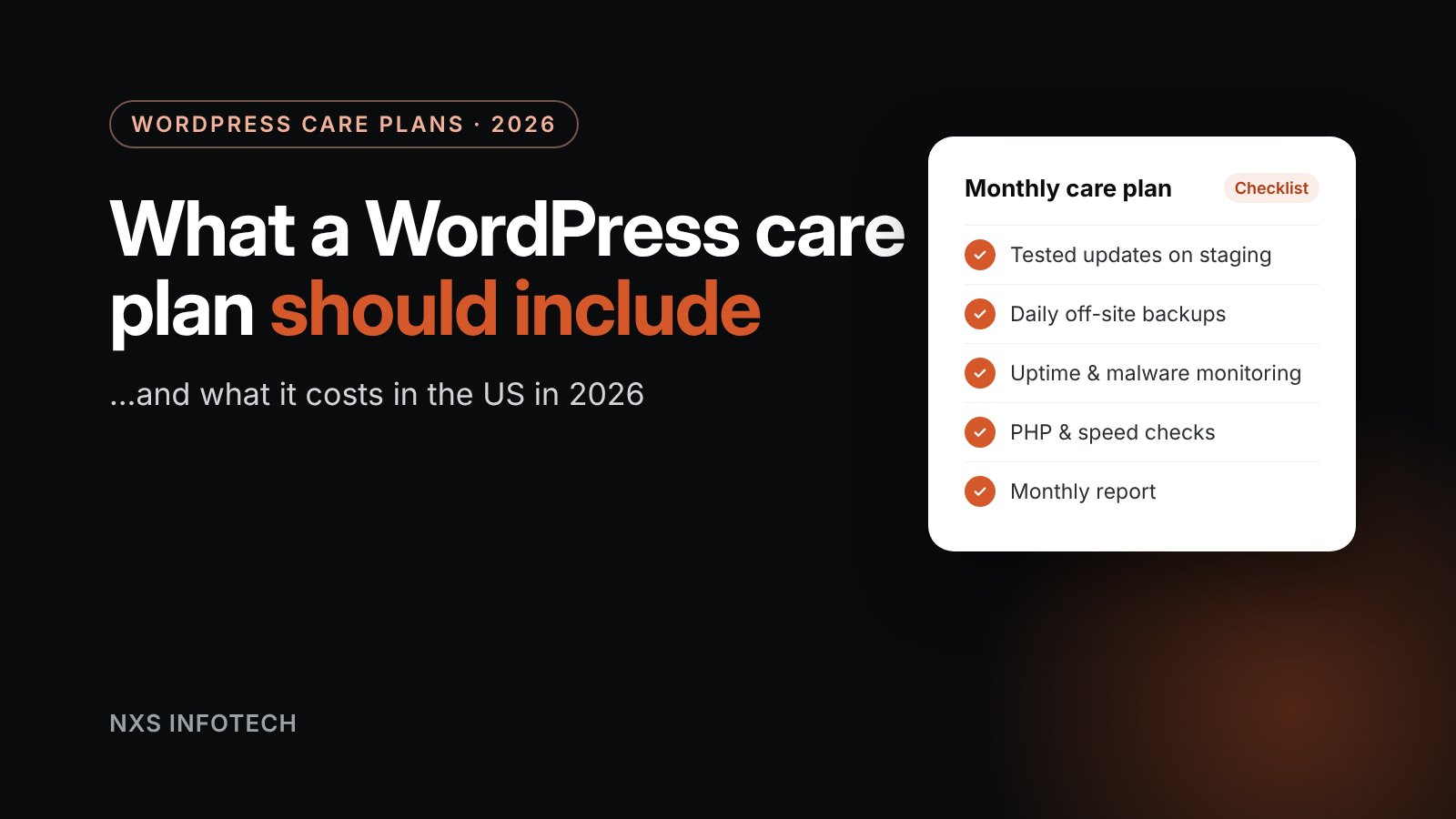
A WordPress site isn’t finished when it launches. WordPress core, your theme and your plugins release updates every few weeks, PHP versions reach end of life, and every site is a target for automated attacks. A care plan is how most businesses handle that work without thinking about it.
But “care plan” means very different things from one provider to the next. Some plans are little more than an auto-update switch; others include a developer who knows your site. This guide covers what a good WordPress care plan should include, what it costs in the US in 2026, and the red flags to watch for before you sign up.
What is a WordPress care plan?
A WordPress care plan (also called a website maintenance package) is a monthly service that keeps your site updated, backed up, secure and running. You pay a fixed monthly fee, and the provider handles the routine work and fixes problems when they come up.
The difference between a care plan and simply turning on auto-updates is testing and responsibility. Someone checks that each update didn’t break your site, keeps a backup they can restore from, and is accountable when something goes wrong.
What a WordPress care plan should include
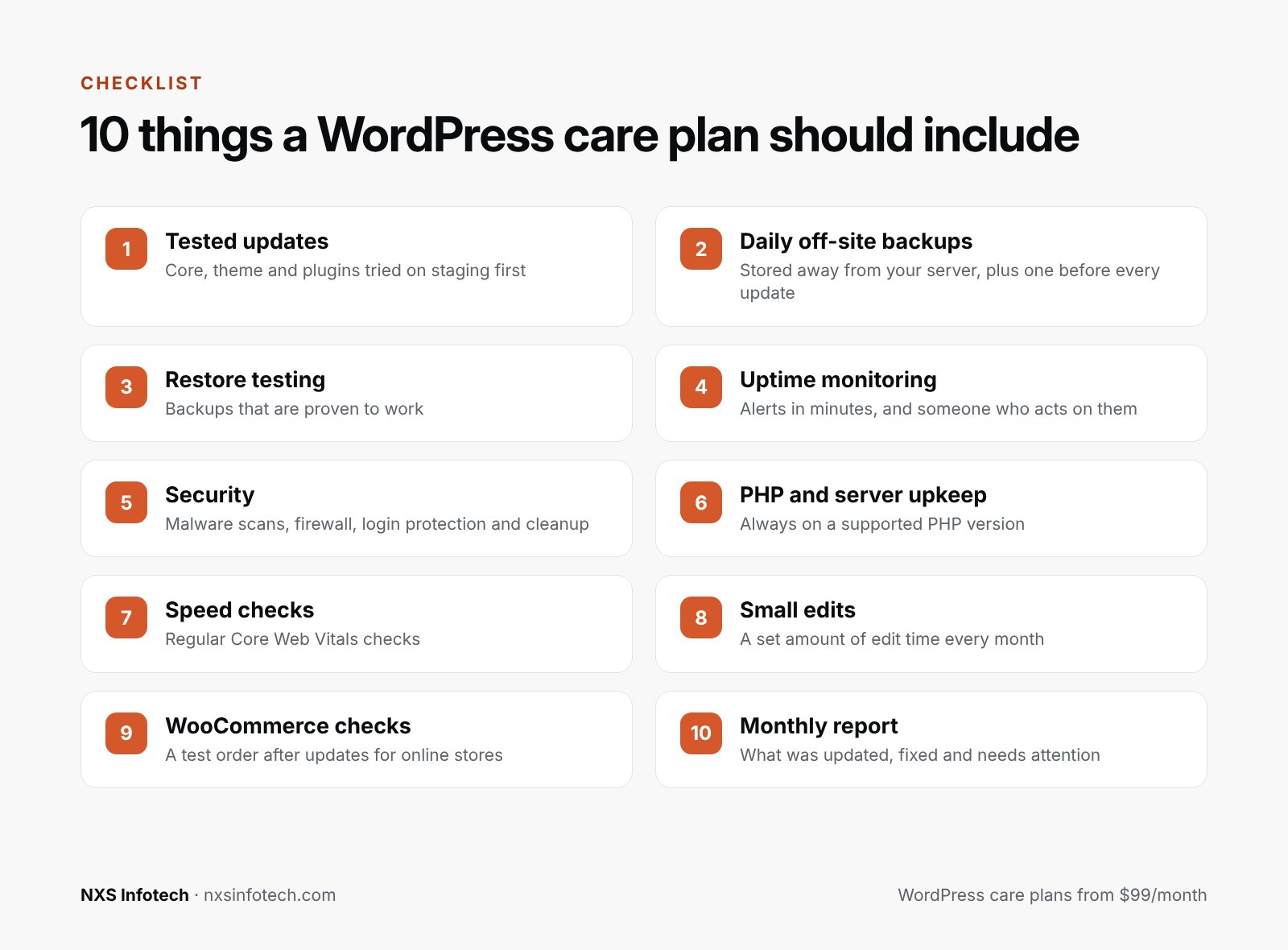
Use this checklist to compare plans. A solid plan covers all of these:
- Tested updates. Core, theme and plugin updates applied on a staging copy first, then on the live site, with a rollback plan if something breaks.
- Daily off-site backups. Files and database backed up every day and stored away from your web server, plus a fresh backup before every update.
- Restore testing. A backup you’ve never restored is a guess. Good providers test restores, not just backups.
- Uptime monitoring. Alerts within minutes when the site goes down, and someone who acts on them.
- Security. Malware scanning, a firewall, login protection and cleanup included if the site is hacked.
- PHP and server upkeep. Keeping your site on a supported PHP version. PHP 8.2, for example, stops getting security fixes on December 31, 2026.
- Speed checks. Regular Core Web Vitals checks so updates and new plugins don’t slowly drag the site down.
- Small edits. A set amount of time each month for text, image and layout changes.
- WooCommerce checks. For stores, a test order after updates to confirm checkout, payments and emails still work.
- A monthly report. What was updated, what was fixed and anything that needs your attention.
What happens in a care plan, and when
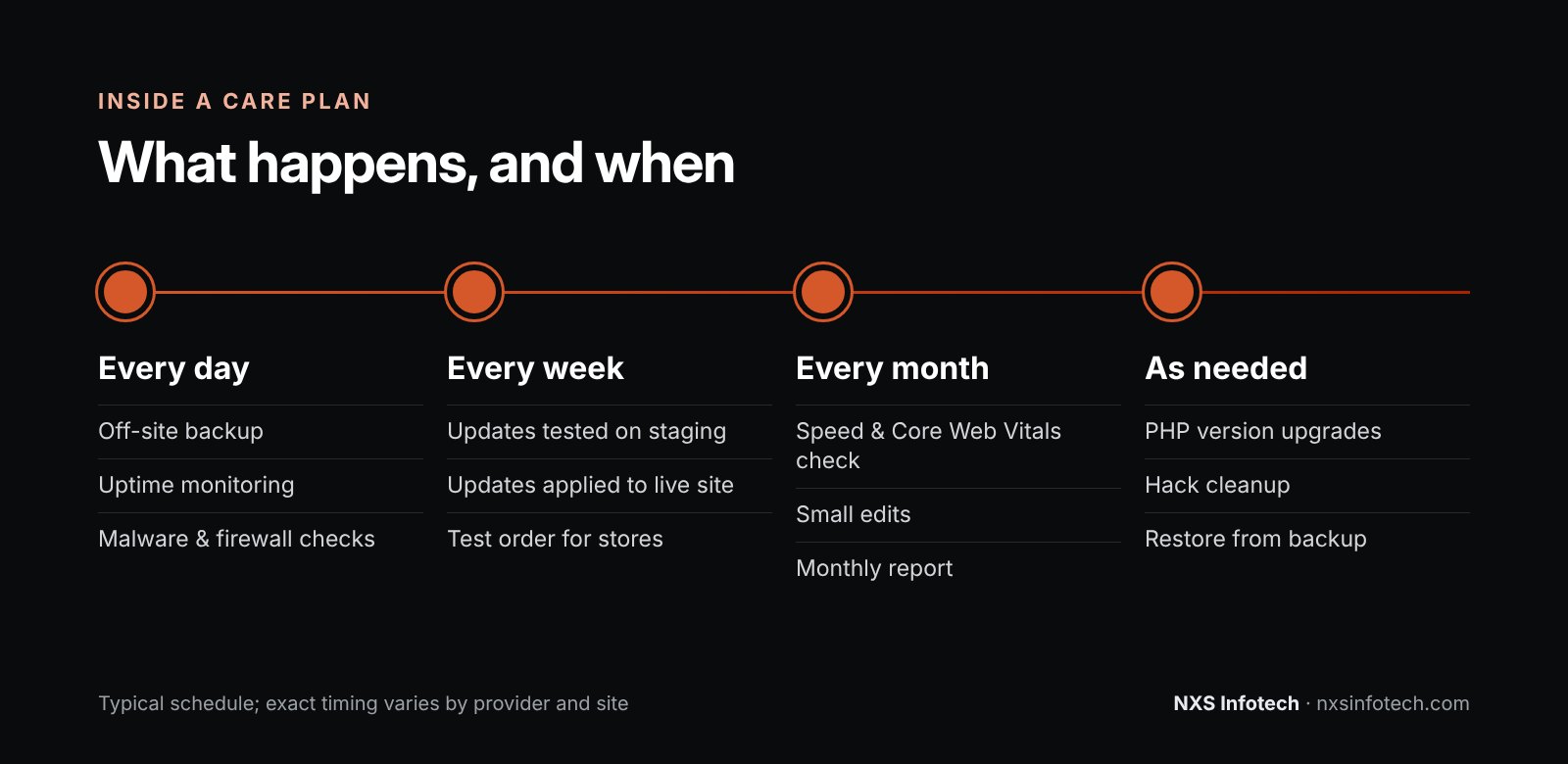
Most of the work in a good care plan runs on a schedule, so problems are caught before visitors notice them:
- Every day: an off-site backup, uptime monitoring, and malware and firewall checks.
- Every week: updates tested on a staging copy, then applied to the live site, with a test order for online stores.
- Every month: a speed and Core Web Vitals check, your small edits, and a report of everything that was done.
- As needed: PHP version upgrades, cleanup if the site is ever hacked, and restoring from backup when something goes wrong.
Exact timing varies by provider and site. A busy WooCommerce store may need updates checked more often than a five-page brochure site.
Nice-to-haves that depend on your site
- Managed hosting. Some plans include hosting; many don’t. Either is fine, as long as it’s clear what you’re paying for.
- Development hours. Useful if you regularly need new pages, features or landing pages.
- SEO and accessibility checks. Broken links, Search Console errors and basic WCAG issues caught early.
- Faster response times. Important for stores, where an hour of downtime is lost sales.
What a WordPress care plan costs in 2026
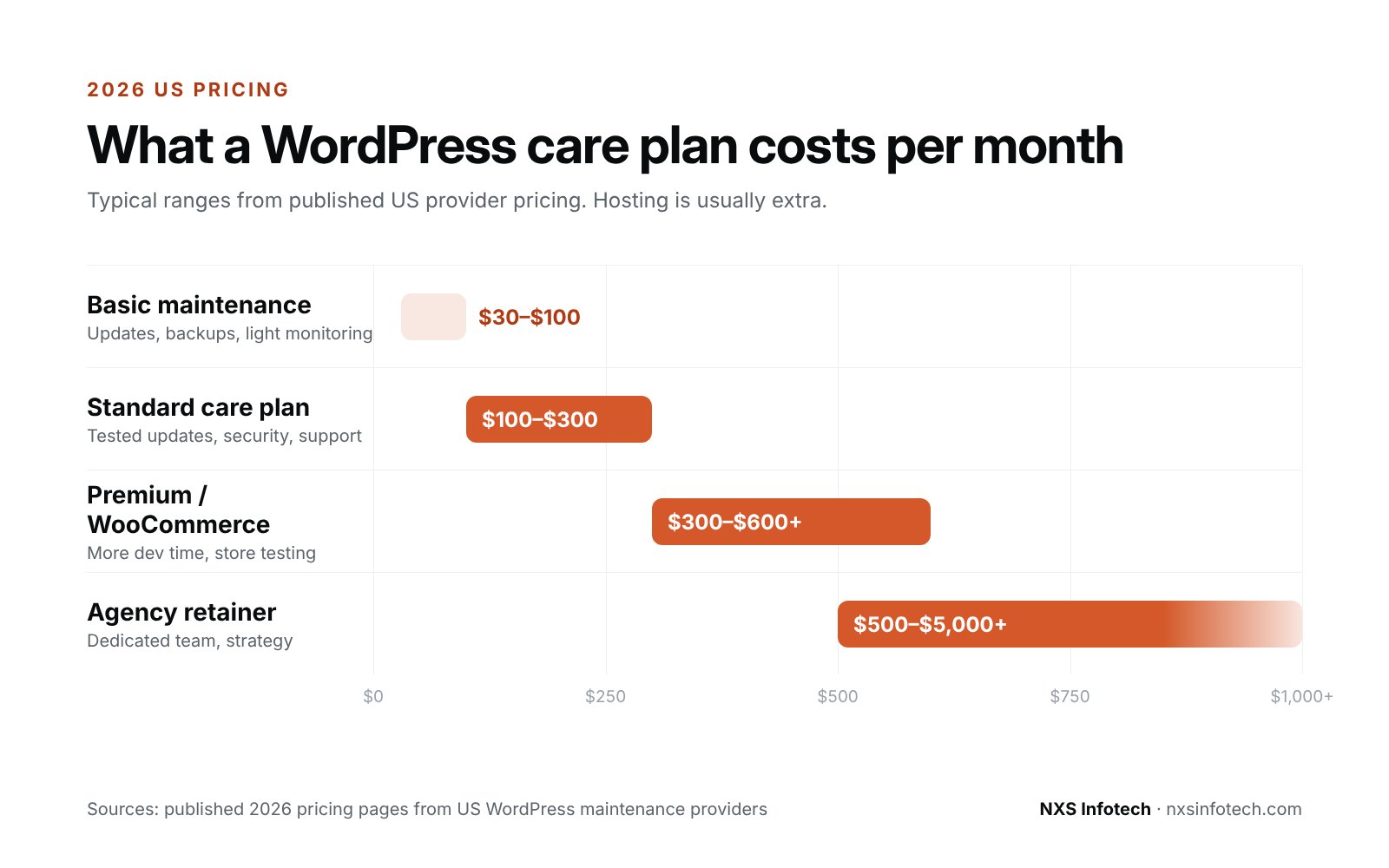
Published pricing from US providers falls into four broad bands:
| Type of plan | Typical monthly price (US) | What you usually get |
|---|---|---|
| Basic maintenance | $30–$100 | Updates, backups and light monitoring, mostly automated |
| Standard care plan | $100–$300 | Tested updates, security, monitoring, support and a small amount of edit time |
| Premium or WooCommerce | $300–$600+ | Everything above, plus more development time, store testing and faster response |
| Agency retainer | $500–$5,000+ | A dedicated team, strategy and significant development hours |
Freelancers often charge $50–$150 a month for basic upkeep, while hourly support when something breaks typically runs $75–$200 an hour in the US. Hosting is usually extra: managed WordPress hosting on its own costs roughly $25–$150 a month.
What drives the price up or down
- WooCommerce. Stores need more testing and faster response, so they cost more than brochure sites.
- Number of plugins. More plugins mean more updates, more conflicts and more testing time.
- Included development time. Edit and development hours are the biggest difference between a $99 plan and a $500 plan.
- Hosting. Plans that include hosting cost more, but you deal with one provider.
- Response time. Guaranteed same-hour response costs more than next-business-day.
Red flags to watch for
- Untested auto-updates. If updates go straight to your live site, the plan is really just a plugin setting.
- Backups stored on the same server. If the server fails or is hacked, the backups go with it.
- “Unlimited” edits. Unlimited usually means slow or capped in practice. A clear allowance is more honest.
- Long contracts. A good provider keeps you because the work is good, not because you’re locked in.
- No reporting. If you can’t see what was done, you can’t tell whether anything was done.
Questions to ask before you sign up
Before you choose a provider, ask these questions. Clear, specific answers are a good sign:
- Where are my backups stored, and how long are they kept? Look for off-site storage and at least 30 days of history.
- When did you last restore a backup for a client? A provider that restores regularly will answer straight away.
- Do you test updates before they go live? “We use auto-updates” is not testing.
- What happens if my site is hacked? Cleanup should be included, not billed as an emergency.
- How much edit time is included, and what happens when I go over? Get the allowance and the overage rate in writing.
- How fast do you respond, and in what time zone? If you’re in the US and the team is overseas, ask how their hours overlap with yours.
- Can I cancel anytime, and do I keep full access to my site? You should always own your hosting, domain and admin logins.
Care plan, hourly support or do it yourself?
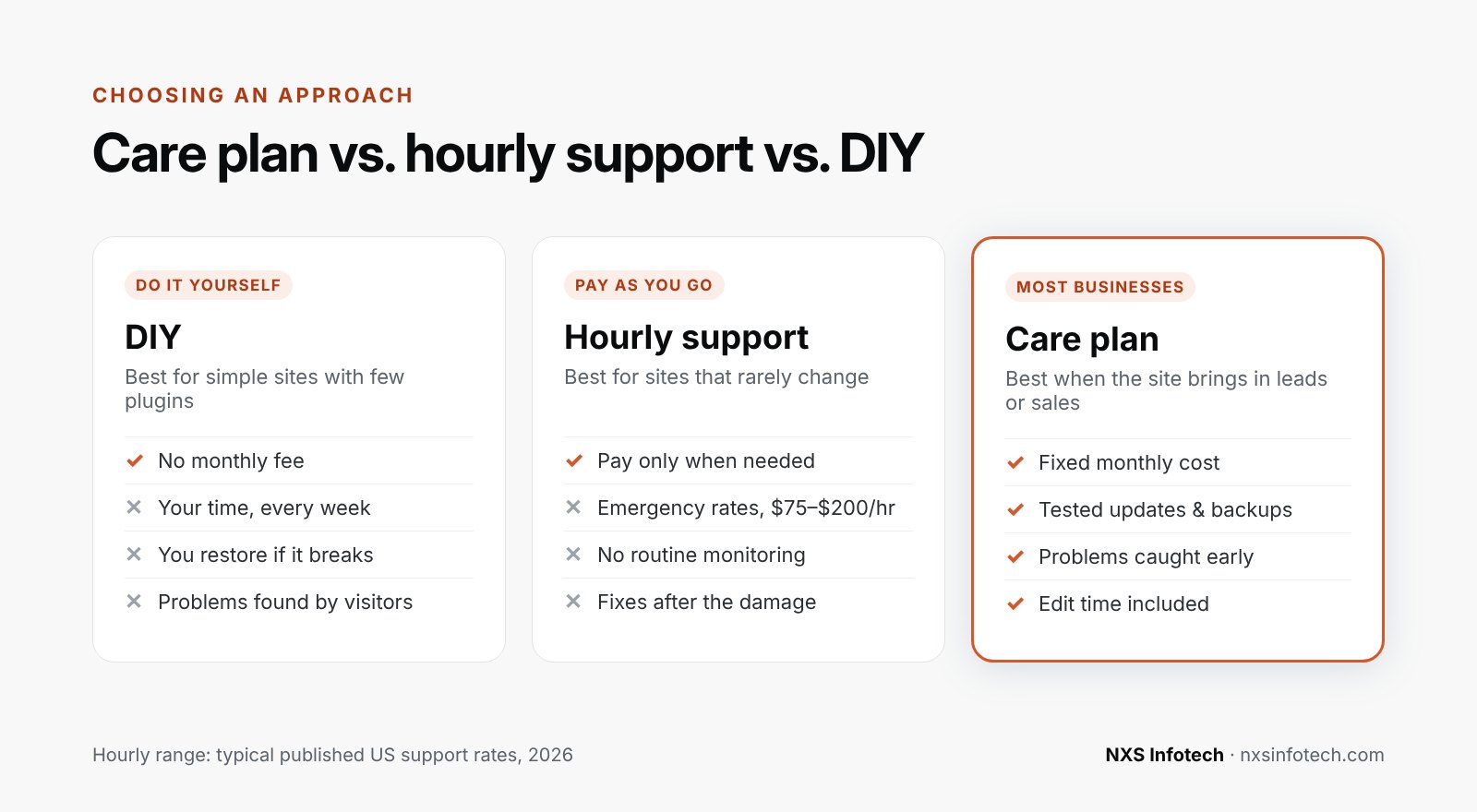
Do it yourself works for a simple site with few plugins, if you’re comfortable restoring a backup. Hourly support suits sites that rarely change, but you pay emergency rates when something breaks. A care plan makes sense once your site brings in leads or sales: the monthly cost is usually less than one emergency fix, and problems get caught before customers notice them.
How our WordPress care plan works
Our WordPress maintenance plans start at $99/month and include tested updates on staging, daily backups, uptime and malware monitoring, PHP upkeep, speed checks, small monthly edits and a test order after updates for WooCommerce stores. You can keep your current host or move to our managed hosting, and you can cancel anytime. If you need more than maintenance, our WordPress development team works at $15/hour.
FAQ

Written by
Keyur Patel is co-founder and director of NXS Infotech, where he leads client partnerships. Since 2016 he has helped US e-commerce brands and agencies plan and grow their stores, from Shopify builds and marketplace management to SEO, email and paid ads. He has kept the agency Top Rated Plus on Upwork with a 100% Job Success Score.
Need Help With Your Website?
Book a free 20-minute call. We’ll review your site and tell you honestly what to fix first.
Free 20-minute call
Talk to a Founder About Your Store or Site
No sales pitch. You leave with a short list of what to fix first, even if you never hire us.